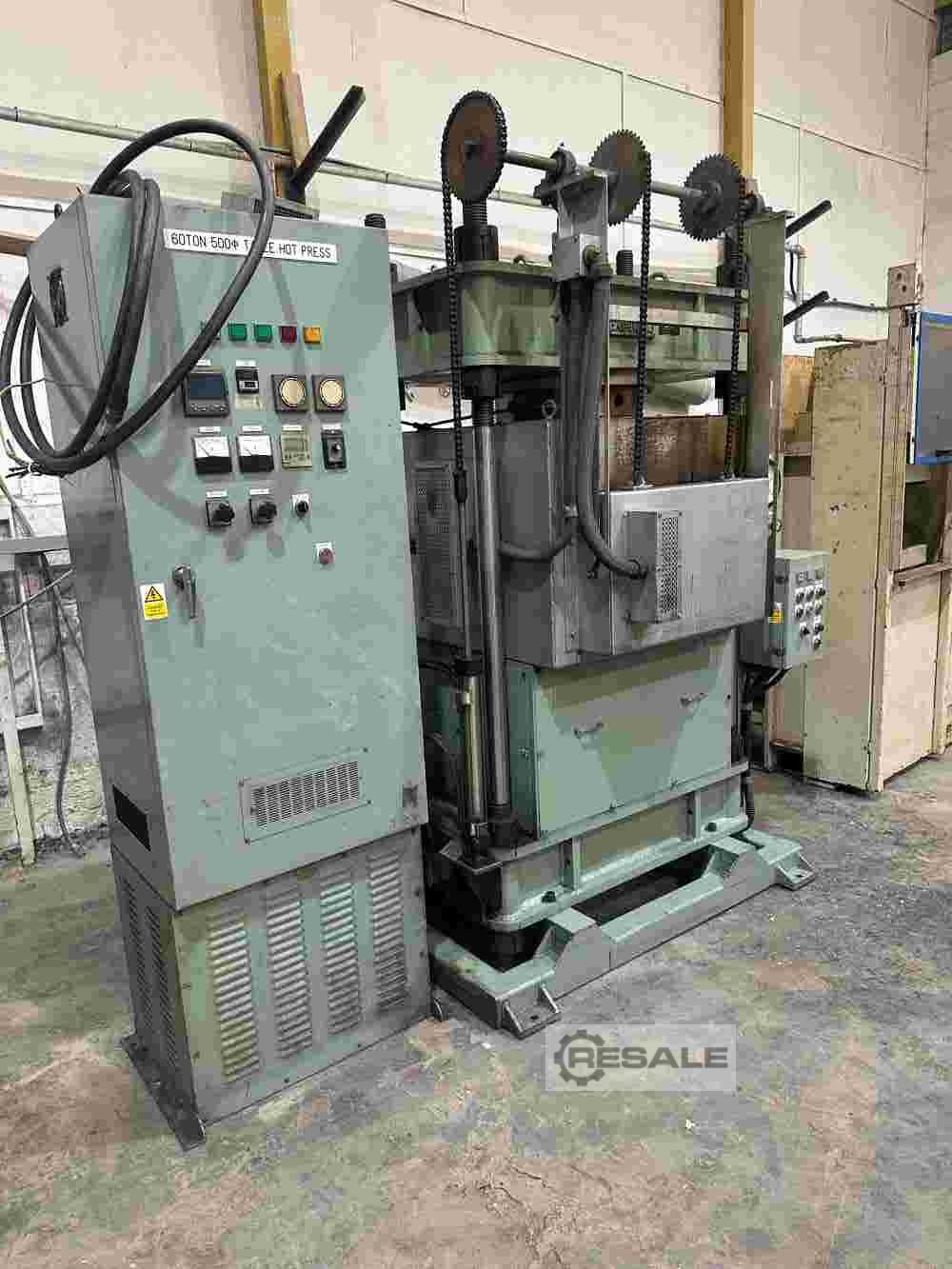
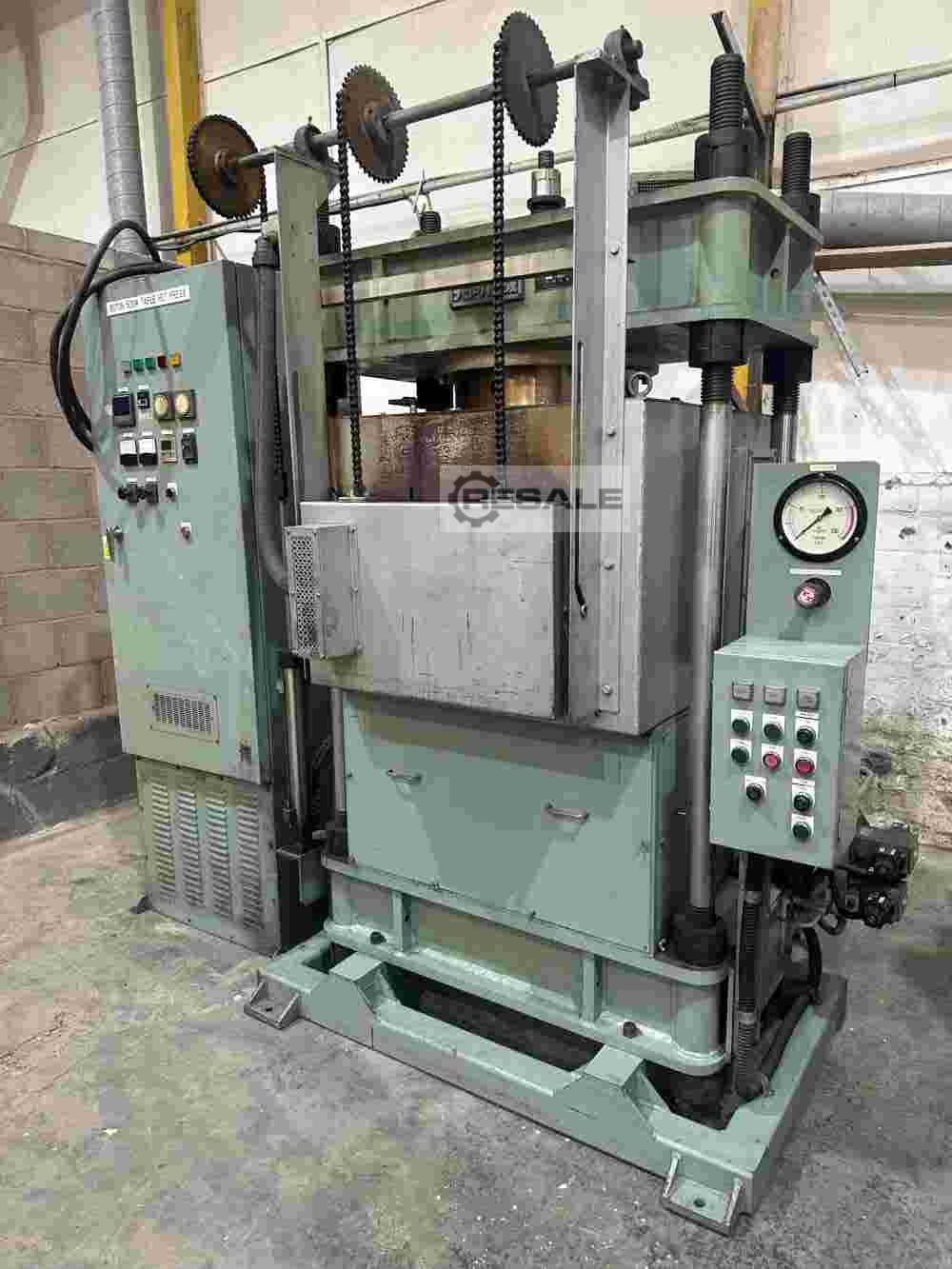
Hydraulic Press for Diamond Cutting Disc KYODO SEIKI 60 Ton

other machines and plants / other machines and plants

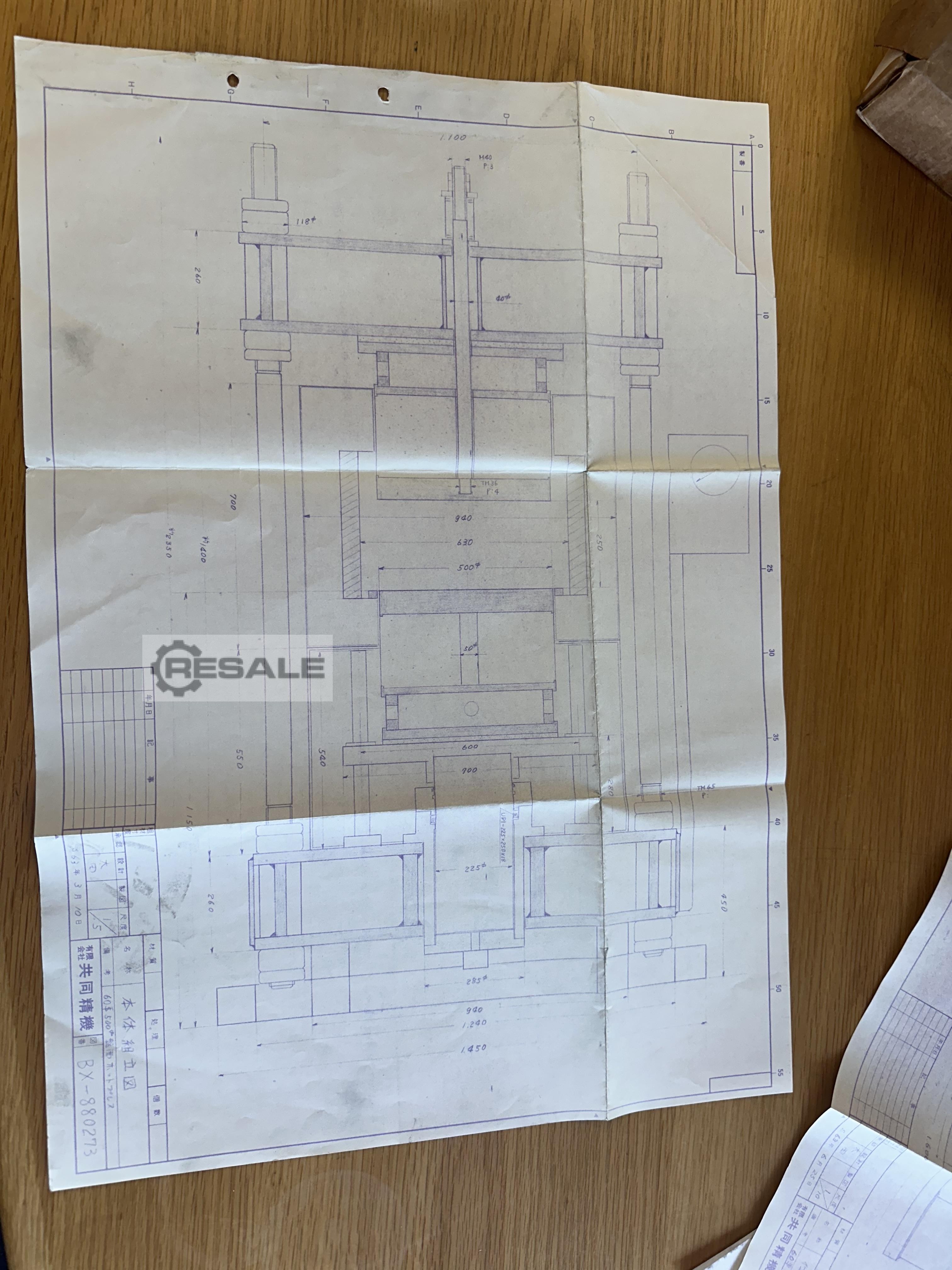
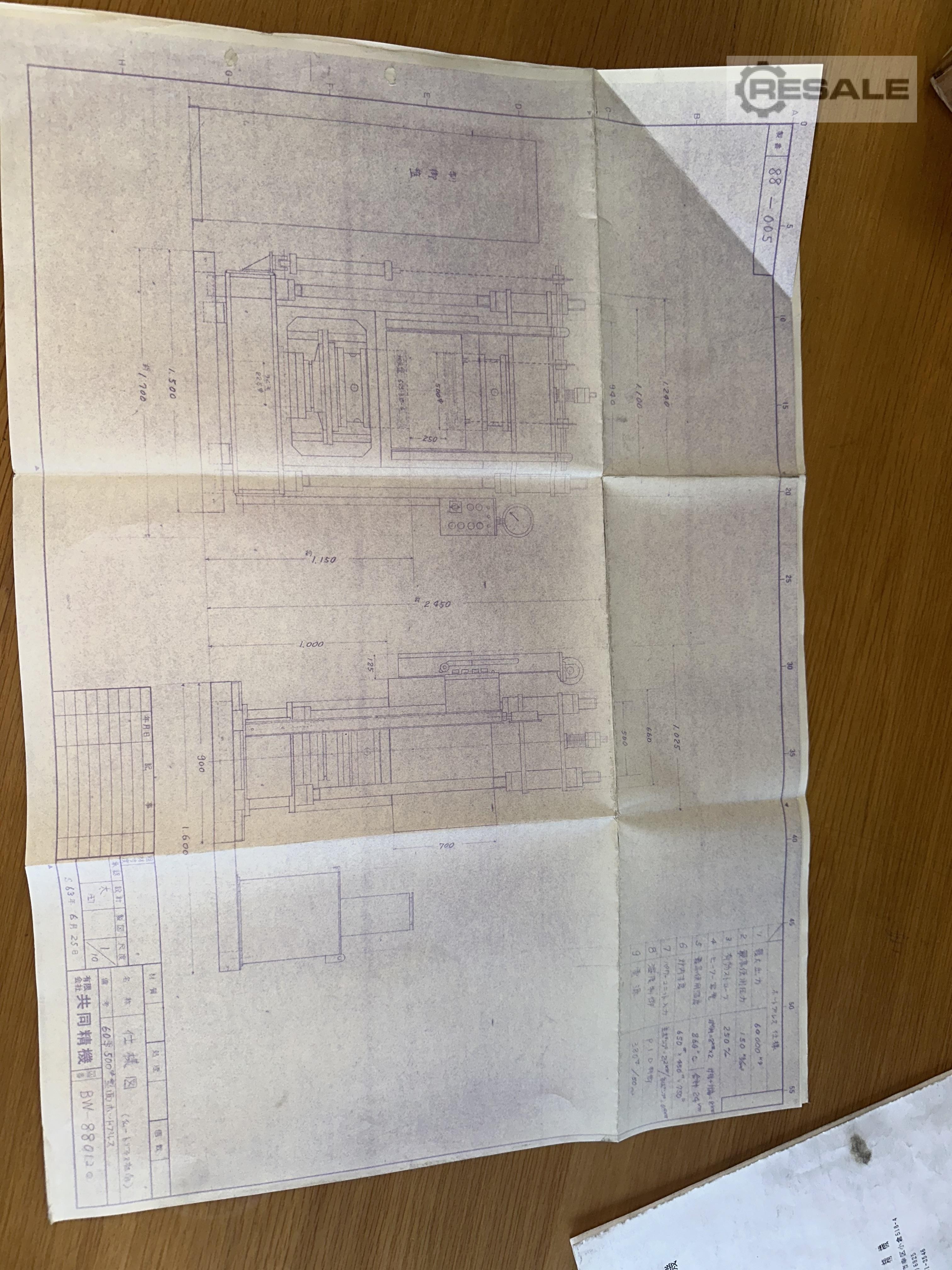
Hydraulic Press for Diamond Cutting Disc 60phi500phi Plate Furnace Medium Pressure Forming Machine Instruction Manual 1988.6.25 Kyodo Seiki Co., Ltd. Postal:211 518-4 Ogura, Saiwai-ku, Kawasaki-shi, Kanagawa, Japan TEL: 044(544)6925 FAX: 044-541-3546 1. Machine Specifications 1) Maximum Output: ...

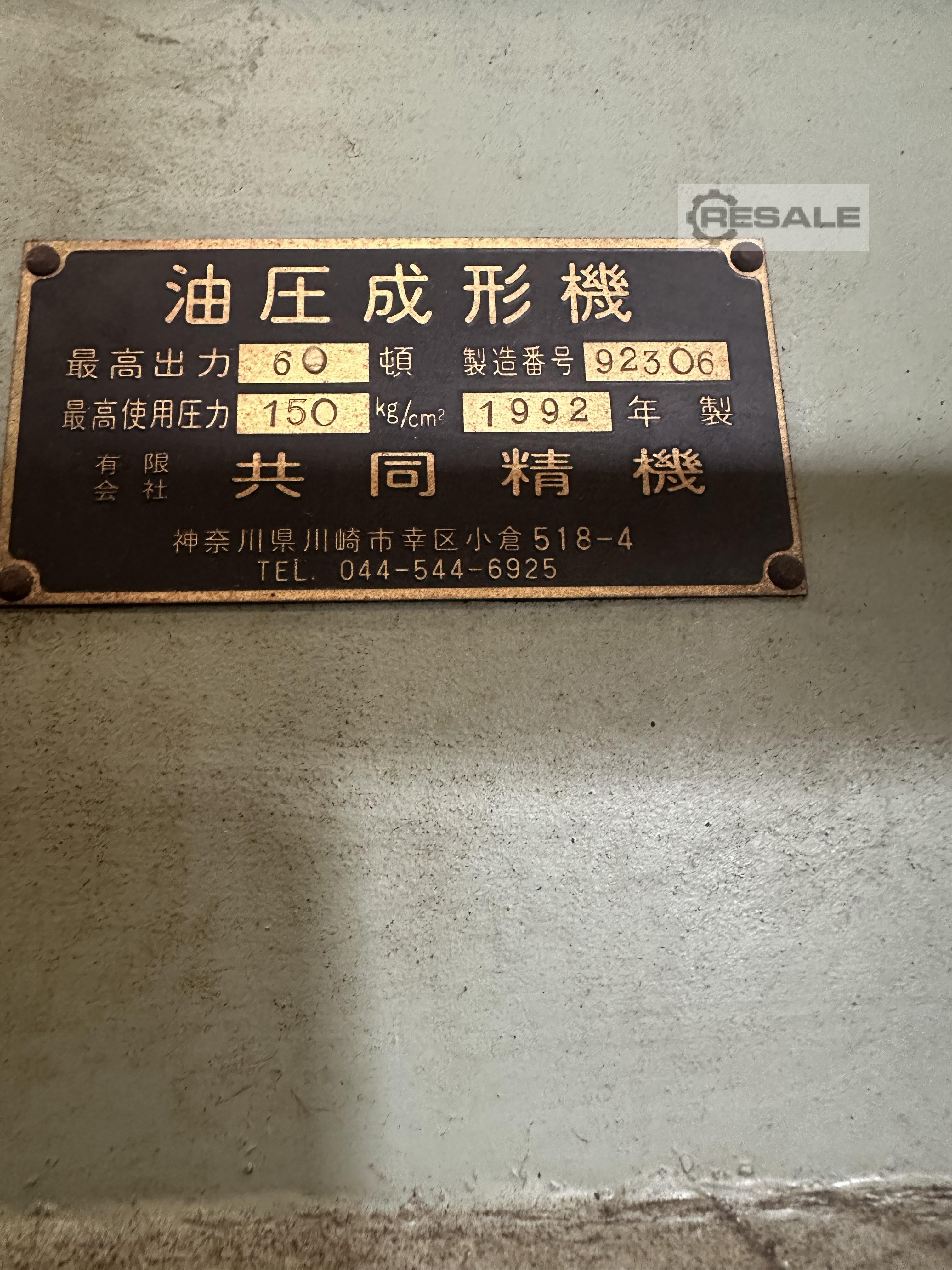
Manufacturer: KYODO SEIKI

Model:60 Ton

Type of machine: Hydraulic Press for Diamond Cutting Disc

item-No.: 169625166

Quantity: 1

Date: 03.06.2026

Year of manufacture: 1988

Location: Land-uk United Kingdom 0 Aldridge

Price:


Machine in stock:Yes

Seller-item-No.:Diamond Cutting Disk Press

Hydraulic Press for Diamond Cutting Disc
60phi500phi Plate Furnace Medium Pressure Forming Machine
Instruction Manual
1988.6.25
Kyodo Seiki Co., Ltd.
Postal:211 518-4 Ogura, Saiwai-ku, Kawasaki-shi, Kanagawa, Japan
TEL: 044(544)6925
FAX: 044-541-3546
1. Machine Specifications
1) Maximum Output: 60,000 kg
2) Max Output Pressure: 150 kg/cm²
3) Effective Stroke: 250 mm
4) Furnace Dimensions:
- Horizontal Side: 8kw × 2
- Rear Side (With Door): 8kw 24kw
5) Heating Temperature: 860°C
6) Internal Dimensions: W650 mm × N 450 mm ×D 750 mm
7) Power Input:
- Main Pump: 2.2 kW × 4 pole
- Auxiliary Pump: 0.4 kW × 4 pole
8) Oil Tank Capacity: 120 L (ISO.VG32-56 equivalent hydraulic oil)
9) Temperature Control: Silister P.I.D Control
10) Vacuum: 4-stage 415V - 50Hz
2. Machine Installation
1) Install the press body on a flat surface. Secure it with anchor bolts if possible.
2) Place the control panel to the left of the press, avoiding direct heat from the furnace.
3. Pipe Connections
1) After placing the press, connect pipes for cooling water and drainage.
- Connect the inlet and outlet pipes to the designated ports at the back of the press.
2) Insert a furnace gas hose (propane or natural gas) and connect it to the gas intake port on the side front.
- Fix the gas hose with a clamp and connect it securely.
4. Electrical Wiring
1) Install the press and control panel, and connect the primary power supply to the terminal (R.S.T) in the lower - Route the power cable from underneath the platform through the designated hole.
2) For secondary wiring, route the cables from the press body and connect them to the terminal inside the control - Fix the cable to the bottom corner and connect it through a flexible conduit.
5. Hydraulic Oil
1) The oil inlet is located at the upper left of the pump unit. Use oil that appears red under the oil
viewer, equivalent to ISO.VG32-56 grade oil. Fill approximately 100~110 liters.
2) Be sure all oil tank drain cocks are closed.
With the above steps completed, the 60 S 500P Hot Press is ready for operation.
6. Operation
1) Heater Control Panel
Turn on the power switch located on the left side of the panel.
Set the main heater's temperature control dial according to the operating instructions.
Turn the current limit dial.
Set the selector switch to "Normal".
Adjust the current limit dial (C.L.) as necessary. The maximum is around 70A.
For the first week of use, keep the above value at 60-80%.
Set the temperature for the cylinder oil heating temperature controller to 60~70C. Once set, the
heater and cooling fan will automatically turn on and off.
If the main power was turned off and then turned back on,
Turn on the heater control panel power again and set the selector switch to "Normal".
After setting the timer, the heater will automatically power on. The maximum settable time is 78 hours.
2) Press Operation
During the horizontal adjustment of the press table, the limit switch is activated by the pneumatic
cylinder on the left inside the panel. It is set at the time of shipment to correspond with the speed
switch and descending position. Match the speed switch to the work conditions.
Press the main operation start button on the press control panel. The indicator light will turn on.
Set the selector switch to Manual.
3) Automatic Operation
Set the heater control panels press timer to the desired time. (Maximum 60 minutes)
Turn the operation panel selector switch to Auto. If the press plate is not in the down position, a
buzzer will sound and the downward operation will begin. The pressing time will start after both
heater and control timers reach the set values.
You can adjust the press time in 1-second increments.
Press the door open switch to open the door and set the workpiece.
Press the auto start switch. The pressing pressure is set by the pressure control valve on the
operation panel.
Press the door close switch to close the door.
When the pressing timer ends, the press will automatically descend and stop at the lower limit
switch.
A buzzer will sound to notify the end of the operation.
7. Accessories
1) 1 set of specially-made heat-resistant press plates (made of special tiles)
2) 1 panel heater set
3) 1 set of sensors and lead wires

Share this machine on Facebook:

Inquiry

Machinery dealer?

Please remit optionally

Send wanted inquiry?

Copy to you?

Save input data

Hydraulic Press for Diamond Cutting Disc
60phi500phi Plate Furnace Medium Pressure Forming Machine
Instruction Manual
1988.6.25
Kyodo Seiki Co., Ltd.
Postal:211 518-4 Ogura, Saiwai-ku, Kawasaki-shi, Kanagawa, Japan
TEL: 044(544)6925
FAX: 044-541-3546
1. Machine Specifications
1) Maximum Output: 60,000 kg
2) Max Output Pressure: 150 kg/cm²
3) Effective Stroke: 250 mm
4) Furnace Dimensions:
- Horizontal Side: 8kw × 2
- Rear Side (With Door): 8kw 24kw
5) Heating Temperature: 860°C
6) Internal Dimensions: W650 mm × N 450 mm ×D 750 mm
7) Power Input:
- Main Pump: 2.2 kW × 4 pole
- Auxiliary Pump: 0.4 kW × 4 pole
8) Oil Tank Capacity: 120 L (ISO.VG32-56 equivalent hydraulic oil)
9) Temperature Control: Silister P.I.D Control
10) Vacuum: 4-stage 415V - 50Hz
2. Machine Installation
1) Install the press body on a flat surface. Secure it with anchor bolts if possible.
2) Place the control panel to the left of the press, avoiding direct heat from the furnace.
3. Pipe Connections
1) After placing the press, connect pipes for cooling water and drainage.
- Connect the inlet and outlet pipes to the designated ports at the back of the press.
2) Insert a furnace gas hose (propane or natural gas) and connect it to the gas intake port on the side front.
- Fix the gas hose with a clamp and connect it securely.
4. Electrical Wiring
1) Install the press and control panel, and connect the primary power supply to the terminal (R.S.T) in the lower - Route the power cable from underneath the platform through the designated hole.
2) For secondary wiring, route the cables from the press body and connect them to the terminal inside the control - Fix the cable to the bottom corner and connect it through a flexible conduit.
5. Hydraulic Oil
1) The oil inlet is located at the upper left of the pump unit. Use oil that appears red under the oil
viewer, equivalent to ISO.VG32-56 grade oil. Fill approximately 100~110 liters.
2) Be sure all oil tank drain cocks are closed.
With the above steps completed, the 60 S 500P Hot Press is ready for operation.
6. Operation
1) Heater Control Panel
Turn on the power switch located on the left side of the panel.
Set the main heater's temperature control dial according to the operating instructions.
Turn the current limit dial.
Set the selector switch to "Normal".
Adjust the current limit dial (C.L.) as necessary. The maximum is around 70A.
For the first week of use, keep the above value at 60-80%.
Set the temperature for the cylinder oil heating temperature controller to 60~70C. Once set, the
heater and cooling fan will automatically turn on and off.
If the main power was turned off and then turned back on,
Turn on the heater control panel power again and set the selector switch to "Normal".
After setting the timer, the heater will automatically power on. The maximum settable time is 78 hours.
2) Press Operation
During the horizontal adjustment of the press table, the limit switch is activated by the pneumatic
cylinder on the left inside the panel. It is set at the time of shipment to correspond with the speed
switch and descending position. Match the speed switch to the work conditions.
Press the main operation start button on the press control panel. The indicator light will turn on.
Set the selector switch to Manual.
3) Automatic Operation
Set the heater control panels press timer to the desired time. (Maximum 60 minutes)
Turn the operation panel selector switch to Auto. If the press plate is not in the down position, a
buzzer will sound and the downward operation will begin. The pressing time will start after both
heater and control timers reach the set values.
You can adjust the press time in 1-second increments.
Press the door open switch to open the door and set the workpiece.
Press the auto start switch. The pressing pressure is set by the pressure control valve on the
operation panel.
Press the door close switch to close the door.
When the pressing timer ends, the press will automatically descend and stop at the lower limit
switch.
A buzzer will sound to notify the end of the operation.
7. Accessories
1) 1 set of specially-made heat-resistant press plates (made of special tiles)
2) 1 panel heater set
3) 1 set of sensors and lead wires
seller offer No. resale Diamond Cutting Disk Press
Share this machine on Facebook:

Seller

JRD BIPEL Ltd

Mr Ahmad Mehdi
WS9 8BG Aldridge
United Kingdom

RESALE member since 2026

  • machine list (10)

Inquiry

Machinery dealer?

Please remit optionally

Send wanted inquiry?

(to all dealers for such a machine)

Copy to you?

(copy of your inquiry will be sent to your email address)

Save input data

(Save input data for further inquiries)

add to watchlist